Studio note · General
Best Ecommerce Platform for SEO in 2026: 9 Options Compared
Compare the best ecommerce platform for SEO options in 2026, from Shopify and WooCommerce to BigCommerce, using documented SEO features and published prices.
- Updated
- November 14, 2026
- Reading
- 12 min
No ecommerce platform ranks a store on its own. In 2024, organic search generated an average of 33% of total website traffic across seven industries, based on an analysis of more than 800 domains by Conductor. That share is large enough to shape a platform decision, and it still doesn't come from a logo in the admin.
How SEO control changes with the platform you choose is the split that matters. The platform sets how much control a merchant has over URLs, metadata, redirects, structured data, and robots.txt, and how much technical work keeping those settings sound will demand. Hosted tools absorb server work. Open-source tools leave hosting, updates, and speed with the merchant.
- URLs and canonicals: who can change them, and which paths the software forces.
- Markup and feeds: whether price, availability, and identifiers stay aligned with the page.
- Upkeep and fees: hosting, apps, transaction charges, and quote-based contracts.
This review desk compares nine ecommerce platforms using documented SEO features, stated limitations, and published pricing signals. Comredix is an independent reviews site, not a studio that designs or maintains stores. The comparison relies on vendor specifications, manuals, and price pages. It doesn't claim hands-on testing of every product. Prices are copied from seller pages on the date shown, and readers should confirm current terms before buying. The order below weighs control against the upkeep that control demands, not a raw feature count.
Table of Contents
- 1. Shopify
- 2. WooCommerce
- 3. BigCommerce
- 4. Wix
- 5. Adobe Commerce
- 6. Webflow Ecommerce
- 7. Squarespace
- 8. PrestaShop
- 9. Shopware
- How the nine platforms compare on hosting, SEO controls and cost factors
- Matching the Platform to the Work You Can Sustain
1. Shopify
Shopify is a hosted store that pairs catalog and checkout work with a managed technical base. Supported themes get an automatically generated sitemap and structured data. Merchants can edit SEO details for products, collections, blog posts, and pages. Canonical URLs are added automatically, and international selling can add market-specific sitemaps plus hreflang.
Google's ecommerce documentation says product data can appear in Search, Images, Lens, the Shopping tab, Business Profiles, and Maps, and that the Shopping tab requires a Merchant Center upload. A hosted platform is useful here only if page markup and the feed stay in sync. Shopify covers the baseline. It doesn't remove the feed job.
Where the URL ceiling shows up
URL structure is tighter than on WooCommerce. Stores that need custom path patterns should treat that as a routing limit, not a toggle. Advanced schema, faceted pages, or bulk edits often need an app or a developer. Apps and payment processing can lift the actual cost above the plan price. Day-to-day hosting and core updates stay with Shopify, so the maintenance load is lighter than a self-hosted stack. Merchants filling specific gaps can compare Shopify SEO apps before paying for custom code.
Practical rule: Choose Shopify when the team wants core SEO fields without running a server, and budget apps only where native fields stop.
2. WooCommerce
WooCommerce is free, open-source commerce on WordPress. It fits stores whose search plan depends on publishing alongside products. Product pages, shop templates, and site architecture can be reshaped. There is no WooCommerce platform license fee. Hosting, security, updates, backups, and performance are the merchant's jobs.
The 2025 HTTP Archive Web Almanac detected WooCommerce on 35.4% of analyzed ecommerce sites globally and Shopify on 21.5%. Median Lighthouse SEO scores were 92 for WooCommerce, Shopify, Squarespace Commerce, and Magento, while Wix eCommerce scored 100. Those scores check baseline signals such as titles and basic crawlability. They aren't proof that one platform will rank higher.
Control that still needs a person
- Content depth: blogs, landing pages, and product copy live in the same WordPress install.
- Extensions: SEO controls, structured data, and filtering usually arrive as plugins, not as a finished default.
- Cost drift: hosting, premium themes, plugins, and development add up even when the core plugin is free.
That flexibility means more decisions, not automatic rankings. A broader installed base can mean more plugins and developers. It also means more ways to create duplicate URLs or a slow theme. Stores weighing this stack against hosted builders can use the wider ecommerce platform comparisons as a checklist, then price the hosting and plugin bill before calling the software free.
3. BigCommerce
Say a catalog is large enough that filtered URLs, retired products, and rewritten paths show up every week. BigCommerce is a hosted platform built for that kind of store. Merchants get customizable SEO-friendly URLs and page metadata, built-in product structured data, automatic redirects and URL rewrites when pages change, and robots.txt editing, plus product and category SEO controls. Hosting and core commerce stay managed. Multichannel selling is part of the product, not a side project.
Google's Product structured data guidance says markup can pass price, availability, review ratings, shipping, apparel sizing, and return-policy details, and it distinguishes product snippets from merchant listings. BigCommerce's native rich-snippet support matches that page-level need better than a builder that only edits a site title. Google still recommends pairing on-page markup with a Merchant Center feed so the two can be checked against each other.
Fees that move with sales
Sales-volume thresholds and automatic plan changes can change the bill. Additional fees can apply to eligible orders that use open payment providers. Buyers should read the current seller terms before assuming a quoted monthly price is the whole cost. The native toolset is stronger than many simpler builders, and it can be more platform than an early shop needs. Pick it when URL control and redirects matter more than the simplest dashboard.
4. Wix
Wix puts store, design, and SEO settings in one dashboard, without server access. Page types, including products and blog posts, have their own SEO fields. Product URL patterns can be customized, with redirects when those patterns change. Product structured data and an editable robots.txt are available. SEO Assistant adds page-specific recommendations.
A 2023 analysis of 1.8 million prominent URLs found that only 38% passed all three Core Web Vitals. In that same observational set, Wix showed a median Largest Contentful Paint of 1.44 seconds, with 17.2% of sites needing improvement, while WooCommerce showed a median LCP of 2.67 seconds and 56.5% needing improvement. Themes, apps, images, and custom code can change any store's result. The figures aren't a controlled test, and they aren't a ranking promise.
What the assistant doesn't do
Recommendations don't replace keyword research or strong product copy. Wix is approachable for a smaller team and a poor fit when the workflow needs deep custom commerce or unusual checkout logic. Ecommerce availability and price depend on the paid plan and the market. For owners comparing builders rather than developer platforms, the website builder shortlist for small businesses is the nearer set of alternatives.
5. Adobe Commerce
Adobe Commerce is designed for large catalogs, multiple storefronts, and B2B rules. Custom URL and metadata controls are available, and what a store can change depends on the product edition and the storefront architecture. APIs and a flexible front end give technical teams room that a closed builder won't. Documentation covers metadata, sitemaps, and indexing issues that differ by storefront.

Google's ecommerce SEO guidance doesn't name a single best platform. It points to discoverable navigation, controllable URLs, indexable content, valid product markup, and reliable handling of large catalogs. Adobe Commerce can meet that list. It can also miss it if rendering choices hide links or if each storefront is indexed differently.
Quote pricing and the team behind it
Pricing is quote-based, not a published monthly subscription. Implementation and ongoing maintenance can require a dedicated technical team. Stores that want a simple self-serve launch should look elsewhere. The same depth that supports multiple brands also creates SEO work around templates, canonicals, and what the chosen storefront exposes to crawlers. Coordinate it with Adobe's wider experience products only when that stack is already part of the plan.
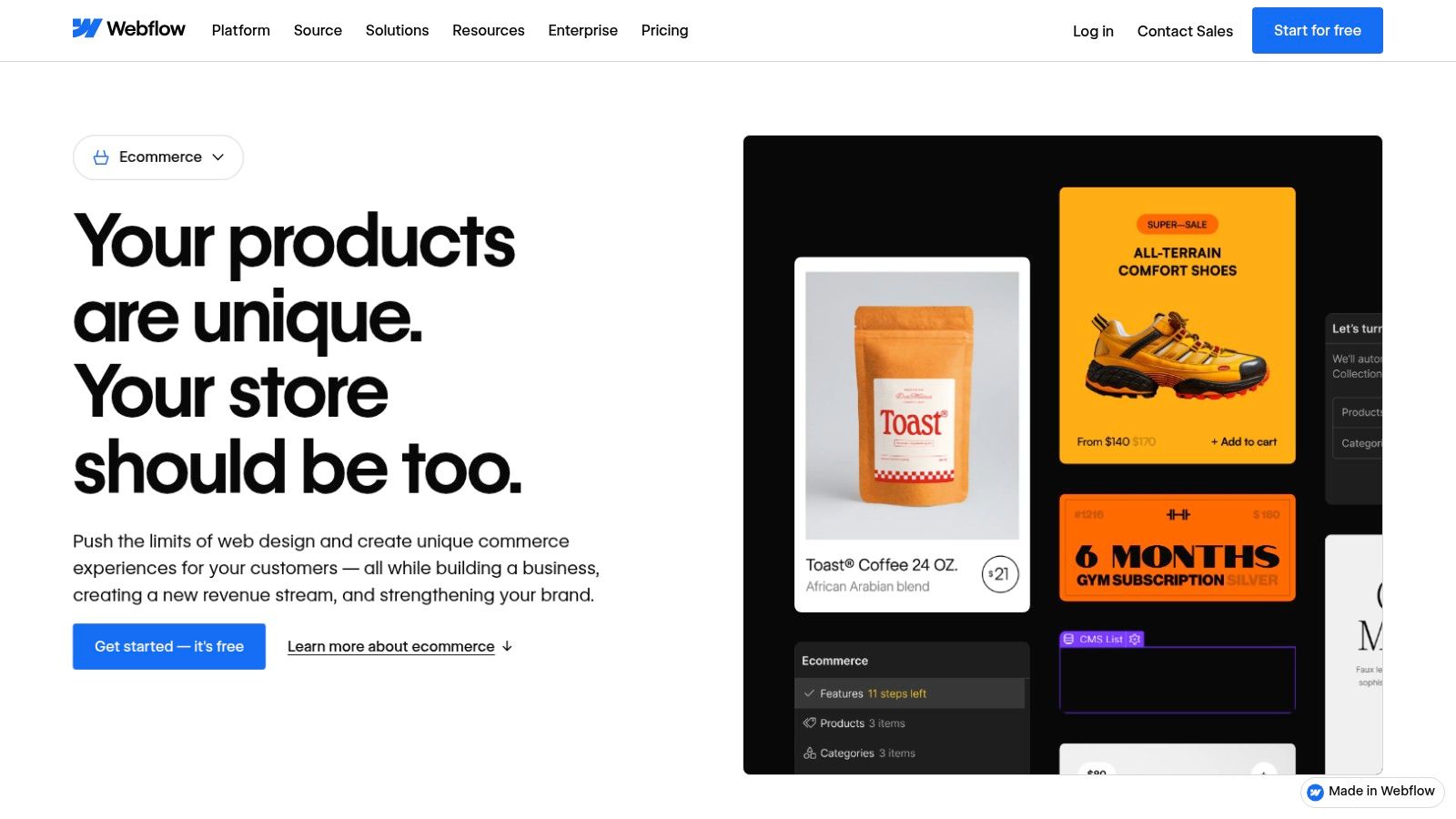
6. Webflow Ecommerce
Webflow Ecommerce is a visual design and content system with native selling, not a full commerce suite. Metadata, redirects, sitemap settings, and schema are in the SEO toolset, so brand and editorial pages can be tuned in the same workflow as the storefront. CMS features suit content-heavy sites. Paid ecommerce plans add product catalogs and custom checkout design. A free Starter plan exists for exploration. Checkout needs a paid ecommerce plan.

On the seller's pricing, the Standard ecommerce plan adds a 2% transaction fee on top of payment processing. That fee belongs in the cost model next to the subscription. Google's Core Web Vitals guidance sets field targets of Largest Contentful Paint within 2.5 seconds, Interaction to Next Paint below 200 milliseconds, and Cumulative Layout Shift below 0.1. A polished Webflow layout can still miss those targets if images and scripts aren't governed.
Catalog limits before the design win
Inventory depth, complex variants, and heavy operational workflows are weaker here than on dedicated commerce platforms. The designer interface takes time to learn. Use Webflow when the storefront is a designed site with a modest catalog, and confirm the plan's transaction fee before comparing it with a hosted cart that folds processing into a different fee schedule.
7. Squarespace
Squarespace is a hosted builder for design-led shops with a relatively small catalog. Built-in SEO tools, page-level settings, and an SEO setup checklist sit next to templates and managed infrastructure. Google Search Console integration is included. Product pages share the same design system as the rest of the site, so publishing and selling don't require a separate host.
Cost depends on the plan. On Squarespace's own pricing, the Basic plan lists a 2% online-store transaction fee. Annual Core and higher plans list no online-store transaction fee. Compare those lines with payment-processor charges, not with the subscription alone.
A clean template doesn't replace indexable category copy or stable product URLs.
Technical control is narrower than on WooCommerce or Adobe Commerce. Specialized schema, unusual navigation, and very large catalogs are a weak match. Squarespace is the calmer choice when brand presentation and a manageable product set matter more than open-ended server access. Read the current plan page before treating “no transaction fee” as true on every tier.
8. PrestaShop
PrestaShop is ecommerce-focused open source, outside WordPress. The community edition can be downloaded and modified. URL structures and redirects are controllable, and a module ecosystem extends the store. Hosted and self-managed versions exist. The open-source software has no license fee, which is not the same as a low total cost.

Google's site-structure guidance recommends menus that link to category pages, category pages that link to subcategories, and subcategories that link to the relevant products, with structured data reinforcing that hierarchy. PrestaShop can support that path because URLs and templates are editable. It won't build the path correctly if modules hide product links inside controls a crawler can't follow.
The self-managed bill
Open-source users arrange hosting, setup, updates, and security. Modules, implementation, and support add cost. Nontechnical operators will find it less turnkey than Shopify, Wix, or Squarespace. Choose PrestaShop when the team wants an ecommerce core they can change in code, and when someone on staff, or on contract, will own canonicals, redirects, and the crawl path from the homepage to each product.
9. Shopware
Shopware offers a source-code-accessible Community Edition and paid plans for stores that outgrow a basic builder. Listed SEO tools include metadata, canonical URLs, breadcrumbs, and structured data, so those basics aren't left entirely to extensions. Visual page building and multilingual storefronts are part of the platform. Paid tiers add support plus capabilities such as B2B tools, advanced search, and customer-group targeting.
Google's comparison of product data routes says structured data can support rich results and image annotations, while Merchant Center data is what the Shopping tab uses and can also supply other Google surfaces. Shopware's on-page markup helps the first route. It doesn't replace a maintained feed if price and availability drift from the storefront.
Who should skip the free edition
Community Edition users still arrange hosting, implementation, and maintenance. Paid plans can be costly for a small shop, and many projects need an implementer. Shopware fits a growing or complex merchant that wants an open entry point and a commercial tier later. It is a weak match for the simplest setup, where a hosted builder's defaults are enough and B2B price lists aren't on the roadmap.
How the nine platforms compare on hosting, SEO controls and cost factors
| Platform | Hosting model | Key SEO controls | Main cost factor |
|---|---|---|---|
| Shopify | Hosted platform | Automatic sitemaps, structured data, and canonical URLs; editable page and product SEO details | Subscription, apps, and payment processing |
| WooCommerce | Self-hosted WordPress platform | Customizable content, product pages, site architecture, and SEO extensions | Hosting, plugins, themes, and development |
| BigCommerce | Hosted platform | Editable URLs and metadata, structured data, redirects, and robots.txt controls | Plan changes tied to sales volume and possible payment-provider fees |
| Wix | Hosted site builder | Product SEO settings, URL patterns, structured data, robots.txt, and redirects | Paid ecommerce plan |
| Adobe Commerce | Enterprise platform; storefront architecture varies | Custom URLs and metadata; sitemap and indexing setup depends on storefront | Quote-based pricing, implementation, and maintenance |
| Webflow Ecommerce | Hosted platform | Metadata, redirects, sitemap settings, and schema | Paid ecommerce plan and transaction fees |
| Squarespace | Hosted platform | Page-level SEO settings, SEO checklist, and Search Console integration | Plan fees and possible store transaction fees |
| PrestaShop | Open-source; self-managed or hosted options | Customizable URLs and redirects, with extensions via modules | Hosting, modules, implementation, and support |
| Shopware | Community Edition is self-managed; paid plans available | Metadata, canonical URLs, breadcrumbs, and structured data | Hosting and upkeep or paid plan costs |
Matching the Platform to the Work You Can Sustain
Start with the upkeep a store can handle. Hosted platforms such as Shopify, BigCommerce, Wix, and Squarespace take hosting and a core technical SEO layer. Advanced needs can still mean apps or development, and plan changes can move the bill. Open-source options such as WooCommerce, PrestaShop, and Shopware give more control over templates, URLs, and code. The merchant then owns hosting, updates, backups, and performance. Adobe Commerce sits with the complex, quote-priced end of that spectrum. Webflow sits closer to a designed site with a limited catalog. Neither extreme removes the need to check what crawlers can see.
Before committing, check current plan prices, transaction fees, and app costs on the seller's page, because these change. A low subscription with a per-order fee, or a free core with paid modules, can cost more than a higher hosted plan once the catalog is live. Ask whether canonicals, robots rules, redirects, and product fields are native, and whether a feed can stay aligned with the page. Then look at mobile field data on the live theme, not at a generic speed claim.
A 2025 Semrush study projected that AI-search visitors could surpass traditional search visitors for digital-marketing topics by early 2028. That is a projection for those topics, not proof that ecommerce organic search is already obsolete. The same discussion of September 2025 Similarweb figures described AI referral traffic among leading ecommerce sites as still trivial next to organic traffic. The practical test is whether each platform exposes complete product attributes, availability, price, shipping, and policy information to crawlers and feeds. Track citations and assisted conversions as an extra channel. Don't drop titles, internal links, or Merchant Center hygiene because a new interface exists.
Comredix publishes independent rankings that copy prices from sellers' pages on the date shown and link figures to the publishers that released them. To report an outdated price, or a platform that should be included, write to editorial@comredix.com.
Comredix compares and ranks store builders, Shopify tools, payments, and shipping using documented features and seller prices, across twelve categories that include tools for selling online. Its ecommerce rankings and practical guides are written for owners choosing software, not for a studio build. Visit Comredix to compare the current platform rankings and the published scoring notes before you lock in a stack.
Spotted an error in this guide? Email editorial@comredix.com